Rich Text Editor for Flow
by Synebo Free ★ 3.2 (9 reviews)
Edit text in the Flow like a pro. With this free rich text component, admins can make their Flow interface look more friendly and deliver more value to users.
View on AppExchange →Highlights
- Based on Trumbowyg, which makes this component both comprehensive and easy-to-use.
- Can be used inside any Screen Flow, whether it's internal Salesforce or community.
- Allows format text bold, italic, or strike-through, create lists, choose paragraph indentation, insert links or images.
What Rich Text Editor for Flow does
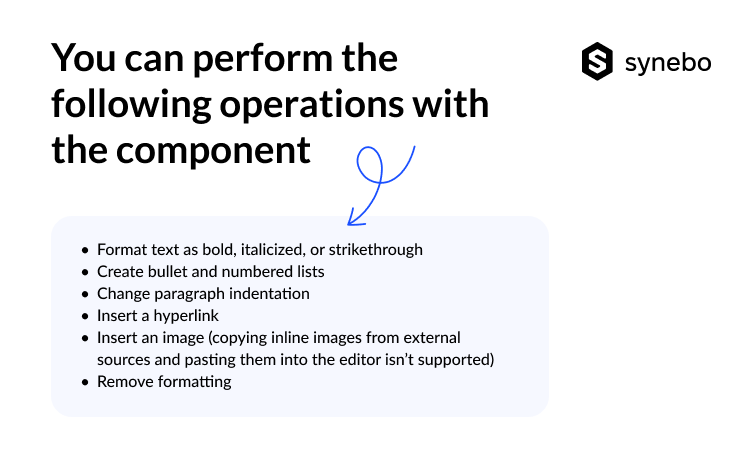
Rich text editor is a Lightning Web Component that lets admins edit text inside their Flows. Just simply installing it from AppExchange, you can get access to a classic Trumbowyg-based text editor with abilities to:
- set text format, such as bold, italicized, or strike-through;
- create bulleted and numbered lists;
- increase or decrease paragraph indent;
- choose align;
- insert a hyperlink;
- insert an image (note: copying inline images from external sources and pasting them into the editor isn’t supported);
- remove formatting.
With the editor admins get more customizable flows and better experience for every user.
Screenshots
Source: the public AppExchange listing for Rich Text Editor for Flow, retrieved Oct 16, 2026. AppX Radar is not affiliated with Salesforce or Synebo. Check the listing for current pricing and requirements.
More from Synebo
Similar apps in Productivity
Great user adoption doesn’t just happen! The Salesforce Adoption Dashboards provide visibility to relevant user login history & trending, ad...
LinkPoint Connect simplifies email integration as an Einstein Activity Capture alternative. Record emails with one click, manage Salesforce ...

Capture customer activity in Salesforce automatically, with full control. ✅ Configurable mapping ✅ Unlimited retention ✅ Flexible deployment...

Rollup Helper overcomes roll-up limitations, so you can turn Salesforce data into actionable info: Configure count, average, percent, lookup...

DemandTools is the enterprise-grade data quality engine tens of thousands of Salesforce admins trust. Deduplicate across any object, standar...
Eliminate pipeline blind spots and drive improved sales activity to exceed elite revenue targets. Spinify’s award-winning sales gamification...