
CloudFiles Document Management | SharePoint Integration, AWS S3, Google Drive
by CloudFiles Paid ★ 5.0 (182 reviews)
Document Automation for Salesforce by Cloud Files: the SharePoint integration that keeps Salesforce files in SharePoint, AWS S3, Google Drive or Azure Blob, right on the record. Flow creates folders and uploads files, and Salesforce storage costs drop.
View on AppExchange →Highlights
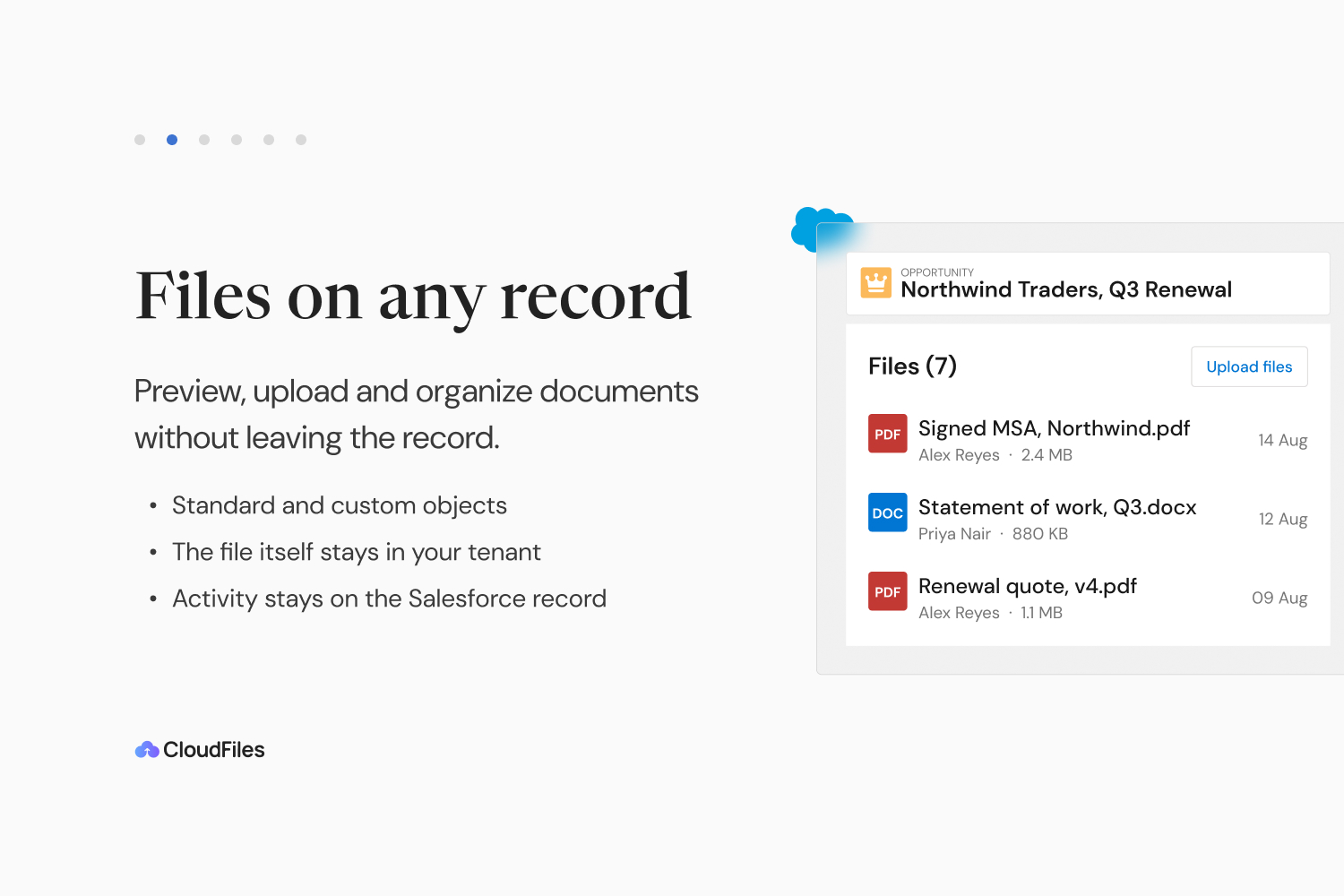
- SharePoint integration for Salesforce document management: open, upload and organize SharePoint files on any standard or custom Salesforce record without switching windows. AWS S3, Google Drive and Azure Blob folders work the same way.
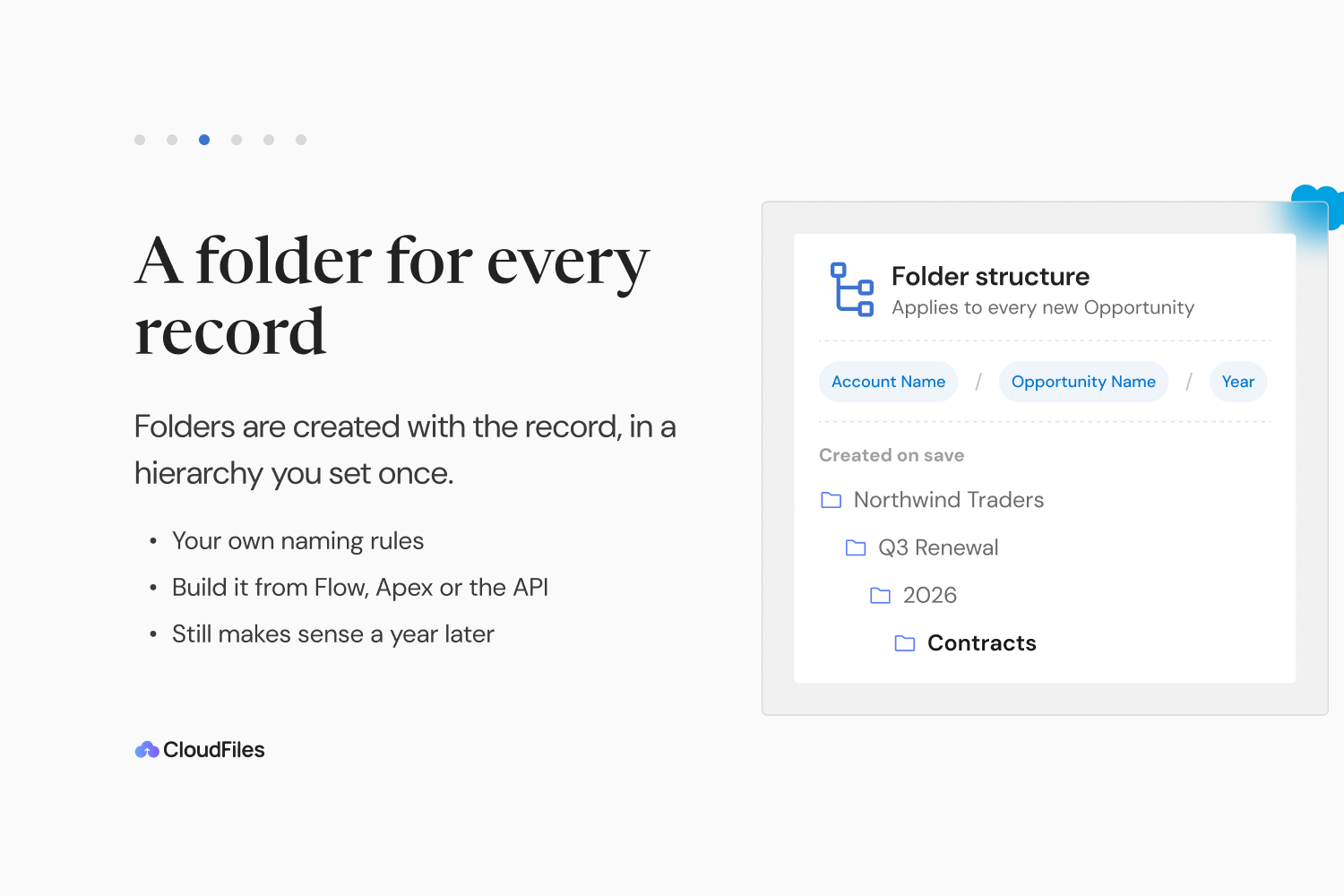
- Automate SharePoint folder creation from Opportunities and Accounts: every new Account, Opportunity or Case gets its own folder in SharePoint, Google Drive, AWS S3 or Azure Blob the moment it is created, named your way and built with Flow.
- Automate file uploads from Opportunities to SharePoint: Flows move Salesforce files and email attachments into SharePoint, AWS S3, Google Drive or Azure Blob on their own, and leave a link on the record so nobody goes hunting.
- Reduce Salesforce file storage costs with SharePoint integration. Stop buying extra Salesforce storage: offload files to the SharePoint, AWS S3, Google Drive or Azure Blob storage you already pay for, and every file still opens from its record.
- Bi-directional SharePoint integration for custom objects: link any custom object to a SharePoint document library, add a file in Salesforce or SharePoint and it shows up in both, with one copy kept. Works for AWS S3, Google Drive and Azure Blob too.
- Google Drive integration for Salesforce: put Google Drive folders on Accounts, Leads and Opportunities and create them automatically, with the same Flow actions you use for SharePoint, AWS S3 and Azure Blob.
- AWS S3 and Azure Blob Storage document management: keep Salesforce files and attachments in your own AWS S3 buckets or Azure Blob containers and work with them from the record, just like SharePoint and Google Drive.
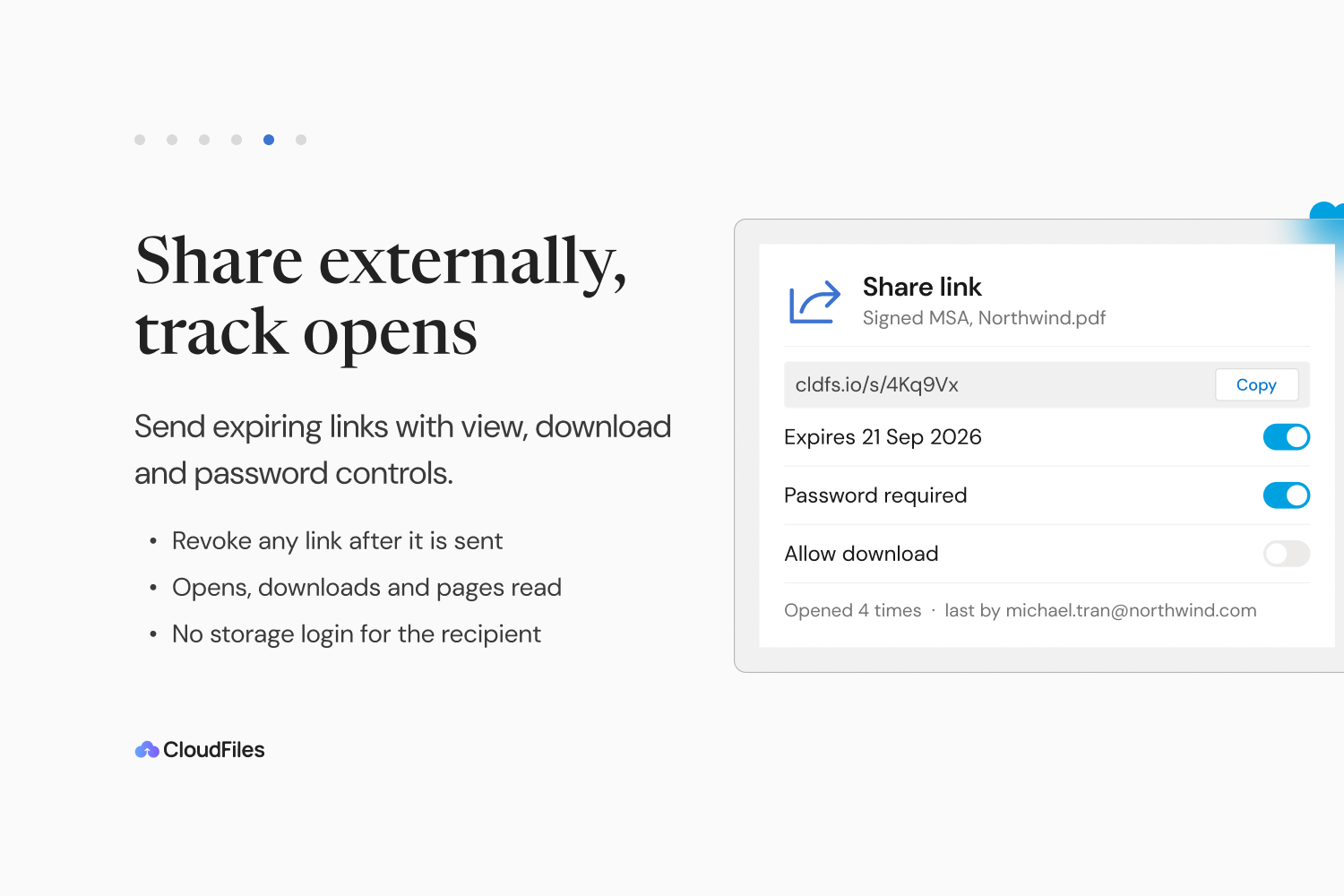
- Experience Cloud document management: portal users view, upload and download SharePoint files on the records they can see, with no Microsoft account of their own. Secure external file sharing too: password, expiry, email check or view limit on every link.
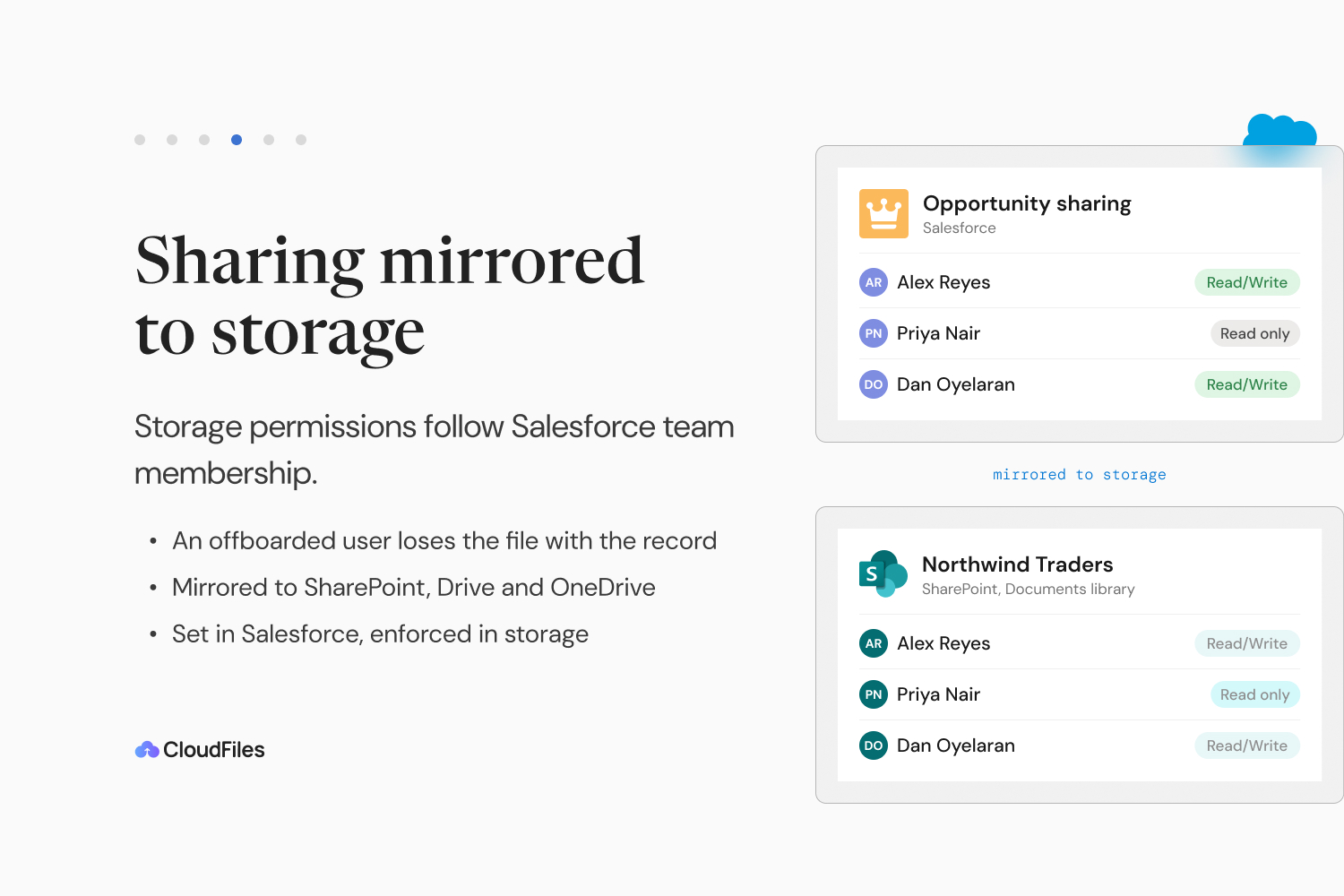
- Sync SharePoint permissions with Salesforce: when owners, teams or territories change, SharePoint folder access follows. Google Drive, AWS S3 and Azure Blob. SOC 2 Type II audited, ISO 27001, ISO 27017 and ISO 27018 certified, HIPAA and GDPR compliant.
What CloudFiles Document Management | SharePoint Integration, AWS S3, Google Drive does
CloudFiles (Cloud Files) is Document Automation for Salesforce. Our SharePoint integration and document management app keeps Salesforce files in SharePoint, AWS S3, Google Drive or Azure Blob instead of Salesforce storage, right on the record.
The best app to manage SharePoint files within Salesforce: a file browser on any record page to preview, upload and organize. Connect custom objects to SharePoint document libraries.
Experience Cloud document management: portal users view, upload and download SharePoint files on the records they can see, with no Microsoft or SharePoint account of their own. The CloudFiles External Users permission set decides which portal users get CloudFiles, and the widget settings turn upload, folder upload, create folder, delete, download and share link on or off.
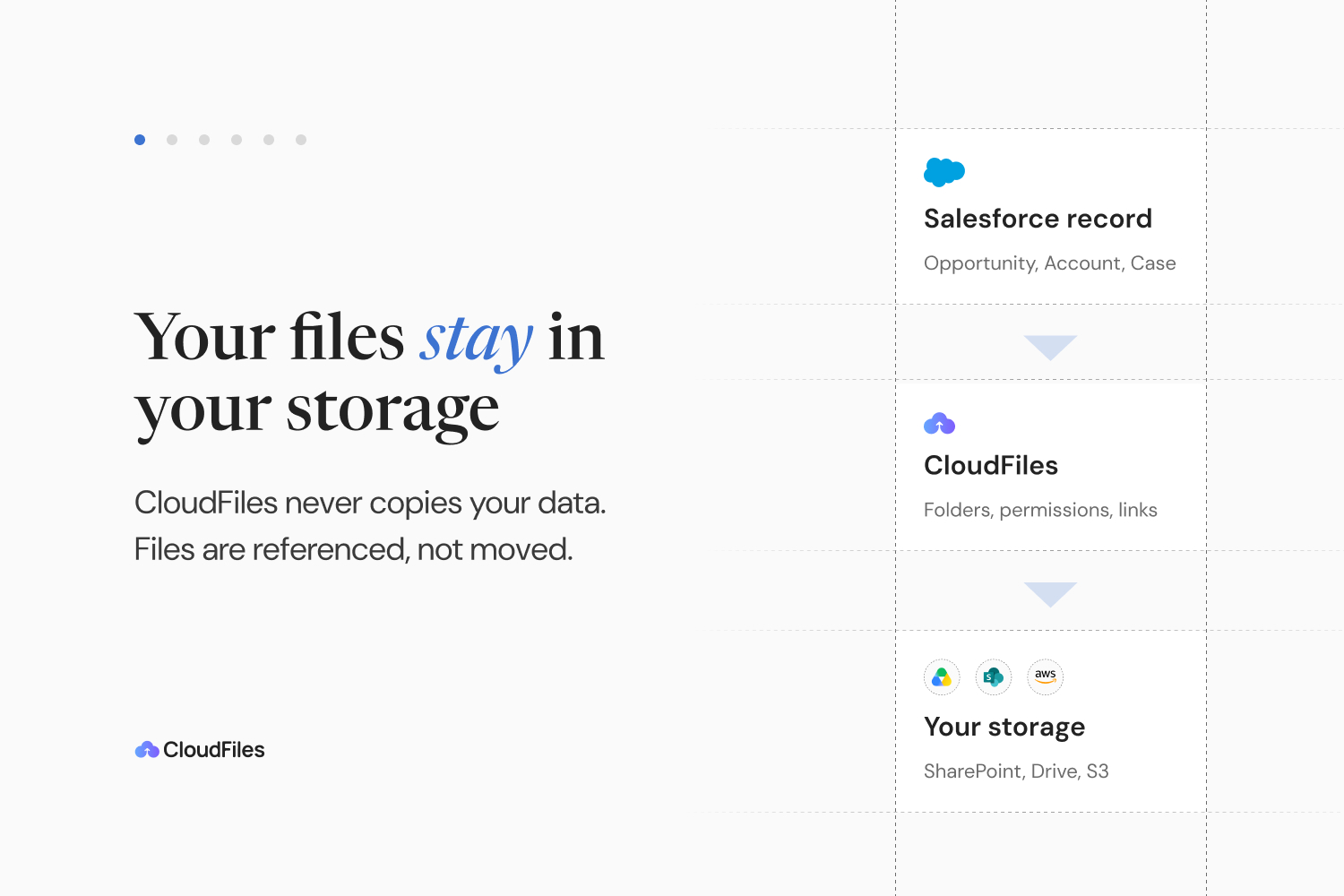
Files stay in your own storage; CloudFiles never re-hosts or takes custody of them. A SharePoint service principal connects with no license or password to expire, with an Active for automations badge. Set up in under 30 minutes. SOC 2 Type II audited, ISO 27001, ISO 27017 and ISO 27018 certified, HIPAA and GDPR compliant. OneDrive, Box and Dropbox too.
Screenshots
Source: the public AppExchange listing for CloudFiles Document Management | SharePoint Integration, AWS S3, Google Drive, retrieved Oct 16, 2026. AppX Radar is not affiliated with Salesforce or CloudFiles. Check the listing for current pricing and requirements.
More from CloudFiles

Similar apps in Document Management

Automatically generate your most critical company documents, such as proposals and quotes, contracts, bills and invoices, and customer commu...
Use the most popular data loader for Salesforce to quickly and securely import, export and delete unlimited amounts of data for your enterpr...

Connect Salesforce and QuickBooks with DBSync’s reliable, bi-directional sync. Automate workflows and improve data accuracy. Please note: th...

Automate your document generation within Salesforce—no coding required. Nintex DocGen empowers admins and business users to generate on-bran...

100% Accurate Timeline in Salesforce: ✔ Automated and customizable ✔ Emails stored permanently in Salesforce ✔ Works with Gmail, Outlook, Ma...
Generate on-brand documents from Salesforce—quickly and at scale. PDF Butler combines document generation, data extraction, contract negotia...